Your first API, step by step
TutorialLearn by doing, one step after another.
The quick start used the wizard. This page does the same by hand, which is how you work from the second API on, and shows the equivalent YAML and terminal commands.
The video does these steps on Apinx Cloud: an upstream, an API with two operations of its own (read and delete a product), an API key, a rate limit, a transformation on one operation, an application with its key, and the same API edited as YAML.
Create the API
- Develop → Upstreams → New upstream: name
orders-backend, targethttp://localhost:3000(or keep the demo backend). - Develop → APIs → New API: name
orders, backendorders-backend, base path/orders. Leave "Add a catch-all operation" ticked: it forwards every path under/ordersto the backend. The box needs a backend; an API created without one gets no operation, and you add operations afterwards, each naming its own backend. - The banner shows undeployed changes. Review and deploy shows exactly what goes live; enter a message and Deploy all changes.
The same as a file, imported with apinxctl import and deployed with apinxctl publish:
apiVersion: apinx/v1
kind: API
name: orders
base_path: /orders
upstream: orders-backend
strip_prefix: true
operations:
  - name: all
    path: /{rest...}
Protect it
- Publish → Consumers → New application:
mobile. Issue key; copy it, it is shown once. - Develop → APIs → orders → Develop tab → Add policy:
api-key(defaults are fine), thenrate-limitwith limit100and window1m. Each change is saved to the draft. - Review and deploy.
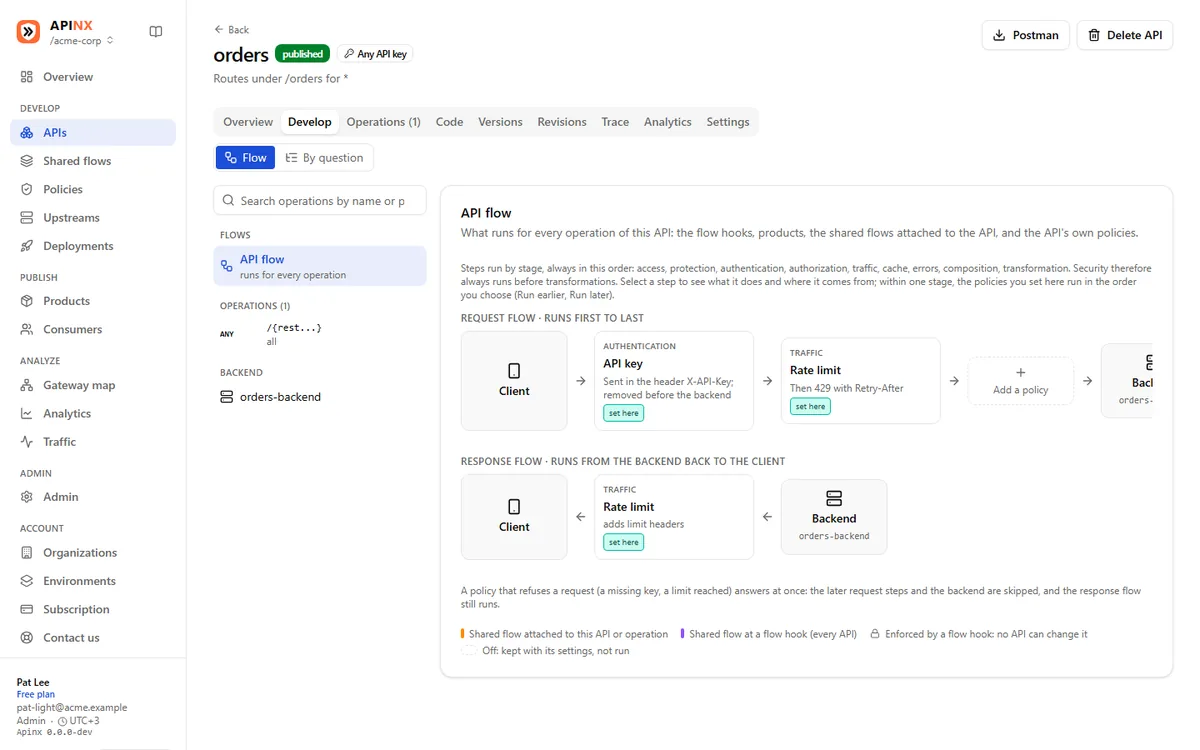
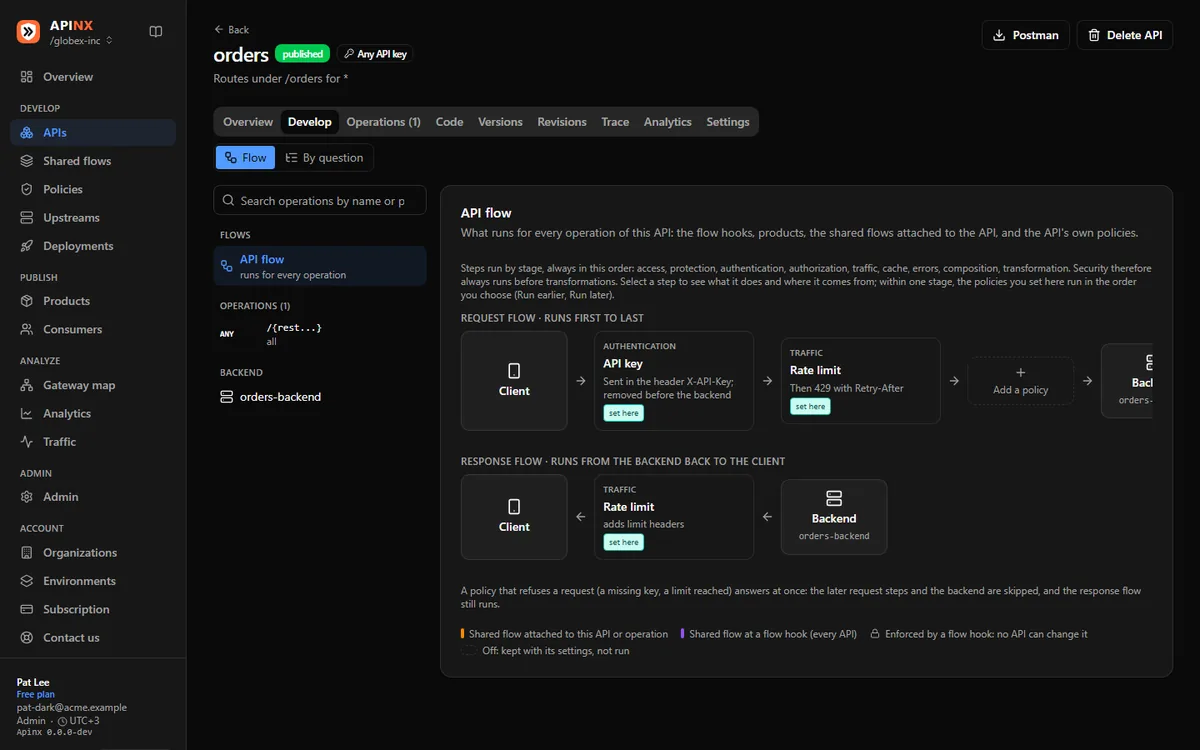
The Develop tab now draws both policies in the flow:
 1
2
3
4
5
6
- The tabs of one API. Develop is where its policies are; Code shows the same thing as YAML.
- API flow holds what runs for every operation. Select an operation below it to see or change that operation only.
- The request flow, drawn in the order the gateway runs it, from the client to the backend.
- Add a policy opens the catalogue. The new step goes to its own stage, whatever position you add it in.
- The tag says where a step comes from: set here, inherited, or enforced by a flow hook.
- The response flow, from the backend back to the client.
curl -i localhost:8080/orders/echo                      # 401 APX-PL-0001
curl -i -H "X-API-Key: apk_…" localhost:8080/orders/echo  # 200, RateLimit-Remaining: 99
The backend receives X-Apinx-Application: mobile; the key itself is stripped.
Make one operation public
Open the operation, add api-key as switch off. The effective policies view shows the
resulting chain and where each entry came from.
From the catch-all to operations of their own
The catch-all forwards everything, so the gateway learns which endpoints callers really use.
Operations → Paths through the catch-all lists them for the last 30 days, most called first:
method, path, calls, errors, last status and when each was last seen. Numbers and IDs in a path
show as {id}, so /orders/7 and /orders/8 are one row (/orders/{id}).
- Add operation on a row opens the operation editor with its name, path and method filled in. Give it its own policies if it needs them, and save.
- The row now says Operation get-orders: once deployed, that operation takes the path.
- After deploying, Clear list and wait: anything that still arrives is a path without an operation of its own.
- When nothing new arrives, switch the catch-all off (the switch at the start of its row on the Operations tab) and deploy. Calls to paths without an operation now get 404.
An operation that is off stays in the API with all its settings, but the gateway acts as if it did not exist: its requests go to the next operation that matches, such as the catch-all, or get 404. Switch it on again and deploy to serve it. In YAML:
Up to 500 paths are kept per catch-all operation; beyond that, calls count under Other paths. A path not seen for 30 days is dropped. The list needs analytics (on by default).
Your first SOAP API
The demo backend also serves a small SOAP service, OrderService, at /soap/orders on port
9100, with its WSDL at ?wsdl. Publishing it as JSON takes an import and a deploy.
- Save the WSDL:
curl -s localhost:9100/soap/orders?wsdl -o orders.wsdl(or open the address in a browser and copy the text). - Admin → Import & export → Import an API → WSDL: choose the file or paste it. The preview
proposes the API
order-service, a backendorder-service-soapat the demo's address, and four operations,POST /get-order,/list-orders,/create-orderand/cancel-order, each with its envelope template and a JSON example. Set the base path to/ordersand Create API and 4 operations. - Review and deploy.
curl -s -X POST localhost:8080/orders/get-order -H 'Content-Type: application/json' \
  -d '{"OrderId": "A-1001"}'
# {"OrderId":"A-1001","Status":"shipped","Customer":{"Name":"Ada Lovelace",…},"Lines":{"Line":[…]}}
curl -i -X POST localhost:8080/orders/get-order -H 'Content-Type: application/json' \
  -d '{"OrderId": "nope"}'
# 400 APX-SOAP-0002: the backend rejected the request (its fault is in the trace)
The JSON keys are the WSDL's element names. The caller sent JSON and got JSON; the envelope, the
backend's fault and the SOAPAction header are in Analyze → Traffic on the soap step. The
same operation by hand, in YAML:
operations:
  - name: get-order
    path: /get-order
    methods: [POST]
    policies:
      - type: soap
        config:
          action: urn:example:orders/GetOrder
          endpoint_path: /soap/orders
          namespaces: { ord: urn:example:orders }
          request: |
            <ord:GetOrder>
              <ord:OrderId>${body.OrderId}</ord:OrderId>
            </ord:GetOrder>
          response:
            unwrap: GetOrderResponse/Order
            arrays: [Line]
SOAP backends as JSON APIs has the template language, the conversion rules, faults, WS-Security and what the import leaves out.
Roll back
Deployments → History → Restore on an earlier deployment makes it live again and restores the draft from it. To roll back this API only, deploy an older revision from its Revisions tab.
Watch it
 1
2
3
4
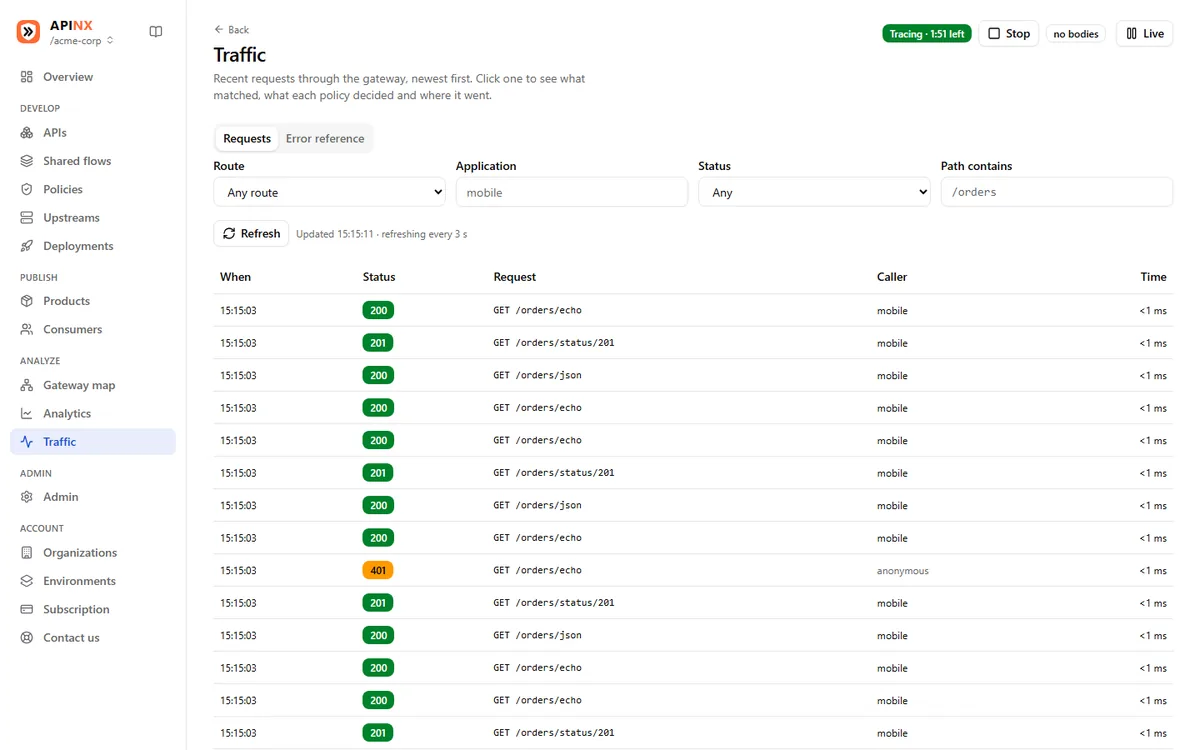
- The trace window. While it runs, every request keeps the decision of each policy step.
- Error reference explains every refusal code without leaving the page.
- Filter by route, application, status or a part of the path.
- A refused request stands out by its status. Click any row to open it in the request inspector.
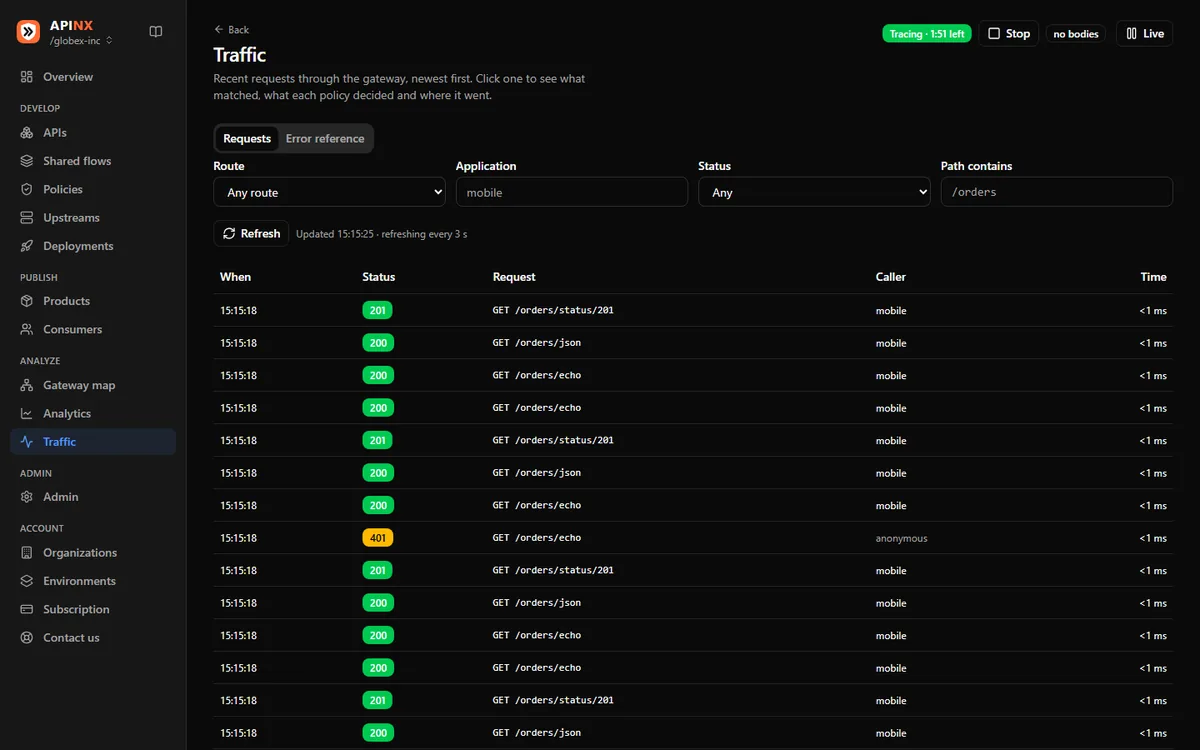
- Analyze → Traffic: every request, live. Open one for the timeline of policies and the backend call, with credentials redacted.
- Analyze → Analytics: requests, errors and latency per minute, hour and day.
curl localhost:9000/metrics: Prometheus metrics per route, policy and upstream.
Next: The model explains what you just built.